
Elevate your game! Experience the difference with the best ergonomic gaming mouse 🖱️. Designed for comfort and precision. Boost your gaming now!
Gaming performance relies on more than skill alone. The tools players choose have a significant effect on both comfort and precision. A well-designed ergonomic gaming mouse supports natural hand positions, reduces strain, and allows for extended sessions without discomfort. By enabling more consistent movements and improving control, these devices contribute to better gameplay and a more enjoyable experience.
Understanding Ergonomics in Gaming
Ergonomics is the practice of designing tools and workspaces to match human use, minimising strain and fatigue. Devices such as the Razer bluetooth gaming mouse are engineered to balance wireless convenience with ergonomic support and responsive performance. In gaming, the focus is on providing comfort while maintaining precision. A mouse that supports the natural curvature of the hand reduces tension in the fingers and wrist, allowing players to maintain high levels of control over longer sessions.
Standard mice may lead to discomfort, wrist pain, or repetitive stress injuries when used for extended periods. Ergonomic designs distribute pressure more evenly across the hand, palm, and fingertips, making gameplay more manageable. Players can focus on strategy and skill rather than hand fatigue or discomfort.
How Ergonomics Enhances Gameplay
Comfort has a direct impact on focus, accuracy, and reaction times. Fatigue or strain can cause players to make errors or respond more slowly. Ergonomic design addresses this by offering targeted support where the hand needs it most. Different grip styles benefit from specific designs: palm grips gain full-hand support, while claw and fingertip grips enjoy better button positioning and freedom of movement.
By maintaining comfort, players can sustain extended sessions with less fatigue. This is particularly useful in competitive or high-intensity games, where even small improvements in response time and accuracy can affect outcomes.
Key Features of an Ergonomic Gaming Mouse
Shape and Grip
Ergonomic mice come in various shapes and sizes to accommodate palm, claw, or fingertip grips. A mouse that fits the hand reduces tension and provides better control. The overall shape guides natural hand movements, allowing precise motions with minimal effort.
Buttons and Responsiveness
Many gaming mice feature programmable buttons and adjustable sensitivity. Properly positioned buttons allow for quick commands without overextending fingers. Sensitivity adjustments, often measured in DPI (dots per inch), enable players to switch between rapid movements and precise targeting, adapting to different scenarios and game types.
Weight and Balance
Mouse weight influences both speed and control. Some models provide adjustable weights for customisation. Lighter mice allow faster, more fluid movements, while heavier models provide stability for precise targeting. Balanced design ensures smooth tracking and reduces strain during long sessions.
Surface Texture
Surface materials affect grip and comfort. Textured sides, matte finishes, or soft-touch coatings prevent slipping and allow players to maintain consistent control throughout extended use. Proper grip reduces the need for constant hand adjustments, enhancing accuracy and comfort.
Selecting a Mouse for Different Game Types
Game genres often dictate the most suitable mouse features. First-person shooters benefit from lightweight mice with high sensitivity, allowing rapid aiming and movement. Multiplayer online battle arena (MOBA) titles require additional buttons for skill activation, while real-time strategy (RTS) players need durability and precise movement over extended sessions. Massively multiplayer online (MMO) games benefit from extra programmable buttons to manage complex commands and macros efficiently.
Matching a mouse to gameplay style improves both comfort and control. Players with different preferences can select a device that supports their natural grip, game mechanics, and hand movements, making each session more effective.
Choosing the Right Ergonomic Mouse
Comfort should guide the selection process. Testing different models helps determine how the device feels during extended use. Hand size, grip style, and personal preference are critical factors. Evaluating features such as button placement, sensitivity, and weight provides further insight into usability.
Considering price alongside reviews helps players find models that offer good performance without unnecessary features. The goal is to select a mouse that promotes comfort, precise control, and reliability, enhancing both long-term hand health and gameplay performance.
Using and Maintaining an Ergonomic Mouse
Adjusting Your Setup
Ergonomics extends beyond the mouse itself. Desk height, chair position, and monitor placement all affect wrist and hand alignment. A setup that complements the mouse reduces strain and improves control. Players should adjust their environment and take breaks to stretch fingers, hands, and wrists, supporting overall comfort during extended sessions.
Cleaning and Care
Regular maintenance preserves both performance and hygiene. Soft cloths can clean exterior surfaces, while small brushes or compressed air can remove debris from sensors and buttons. Proper care prevents interference with movement and ensures the mouse functions reliably for a longer period. Handling the mouse gently also helps maintain mechanical components and prevents wear over time.
Additional Considerations for Gamers
Comfort and performance are closely linked. A mouse that fits poorly can cause tension and reduce focus, while one designed with ergonomics in mind allows for precise, controlled movements. Players who spend long hours gaming should consider hand size, preferred grip, and the type of games they play when selecting a mouse.
Understanding these factors helps create a more tailored experience. A suitable mouse combined with an appropriate setup ensures players maintain accuracy and responsiveness without physical discomfort. Regular adjustments to hand posture, desk height, and wrist angle can further improve comfort and reduce fatigue.
Conclusion
An ergonomic gaming mouse offers clear benefits for both comfort and performance. By supporting natural hand positions, reducing fatigue, and enhancing control, these devices allow players to sustain longer sessions while maintaining accuracy and precision. Selecting a model suited to hand size, grip style, and gameplay type can transform gaming into a more comfortable and efficient experience.
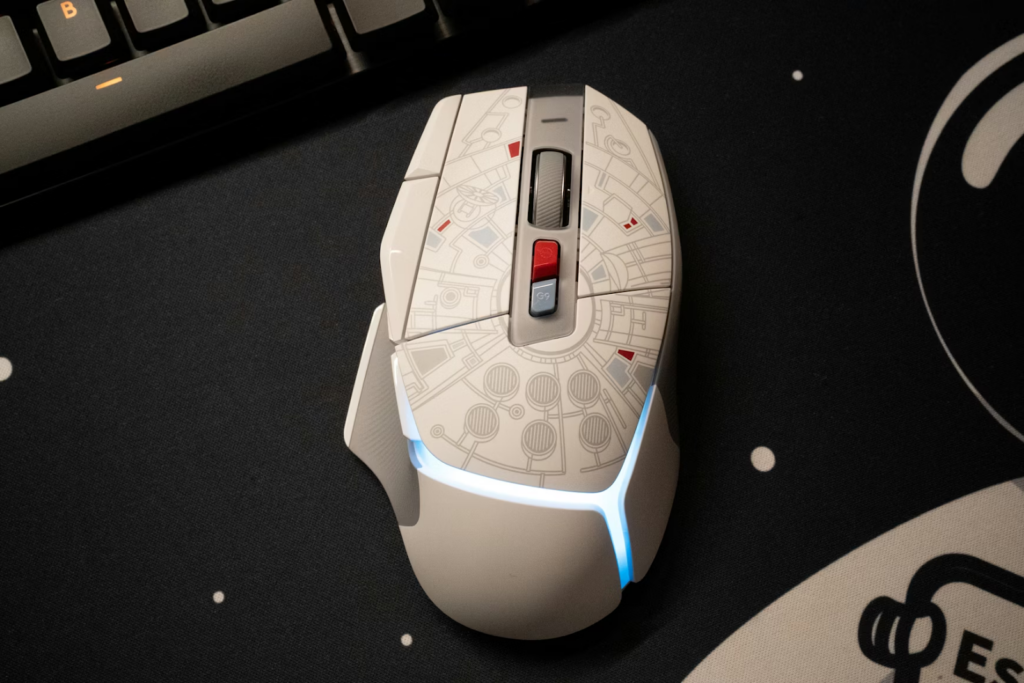
Investing in a quality ergonomic mouse improves overall performance while reducing the risk of strain or injury. Players who prioritise comfort and functionality are more likely to enjoy extended sessions with consistent results, making the device a valuable component in any gaming setup.